Sort A–Z
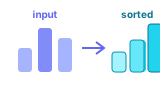
Ascending order places earlier letters (or smaller numbers) first.
Example input:
- banana, apple, cherry, date
Sorted A–Z:
- apple, banana, cherry, date
Use this calculator to sort a list A–Z or Z–A, or to reverse the current order. Paste items into Input List, choose an operation, and read the result in Output.
Use commas, spaces, or new lines to separate items. Sorting uses natural order (numbers and letters). Reverse keeps every item, including duplicates.
Sorting rearranges items into a defined order (for example alphabetical A–Z). Reversing flips the current sequence so the last item becomes first — without comparing values. Both are common list operations when cleaning or presenting data.
Ascending order places earlier letters (or smaller numbers) first.
Example input:
Sorted A–Z:
Descending order is the opposite of A–Z: later letters (or larger numbers) come first.
Example:
Reverse does not sort. It simply reads the list from the end back to the start, keeping all duplicates and the original relative positions inverted.
Example: a, b, c → c, b, a